July 26,2016
Android offers a great list of pre-built widgets like Button, TextView, EditText, ListView, CheckBox, RadioButton, Gallery, Spinner, AutoCompleteTextView etc. which you can use directly in your Android application development, but there may be a situation when you are not satisfied with existing functionality of any of the available widgets. Android provides you with means of creating your own custom components which you can customized to suit your needs.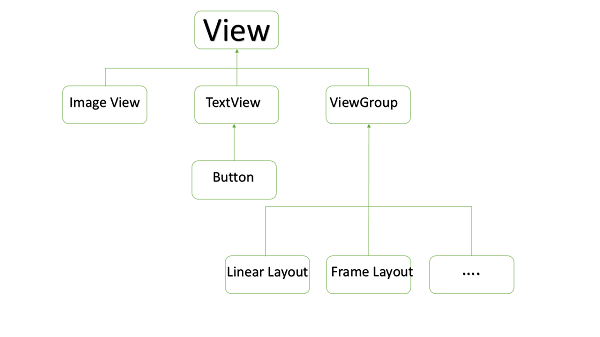
Creating a Simple Custom Component
| Step | Description |
|---|---|
| 1 | You will use Android studio IDE to create an Android application and name it as myapplication under a package com.example.tutorialspoint7.myapplication as explained in the Hello World Example chapter. |
| 2 | Create an XML res/values/attrs.xml file to define new attributes along with their data type. |
| 3 | Create src/mainactivity.java file and add the code to define your custom component |
| 4 | Modify res/layout/activity_main.xml file and add the code to create Colour compound view instance along with few default attributes and new attributes. |
| 5 | Run the application to launch Android emulator and verify the result of the changes done in the application. |
 Site Title